Day 1– Map
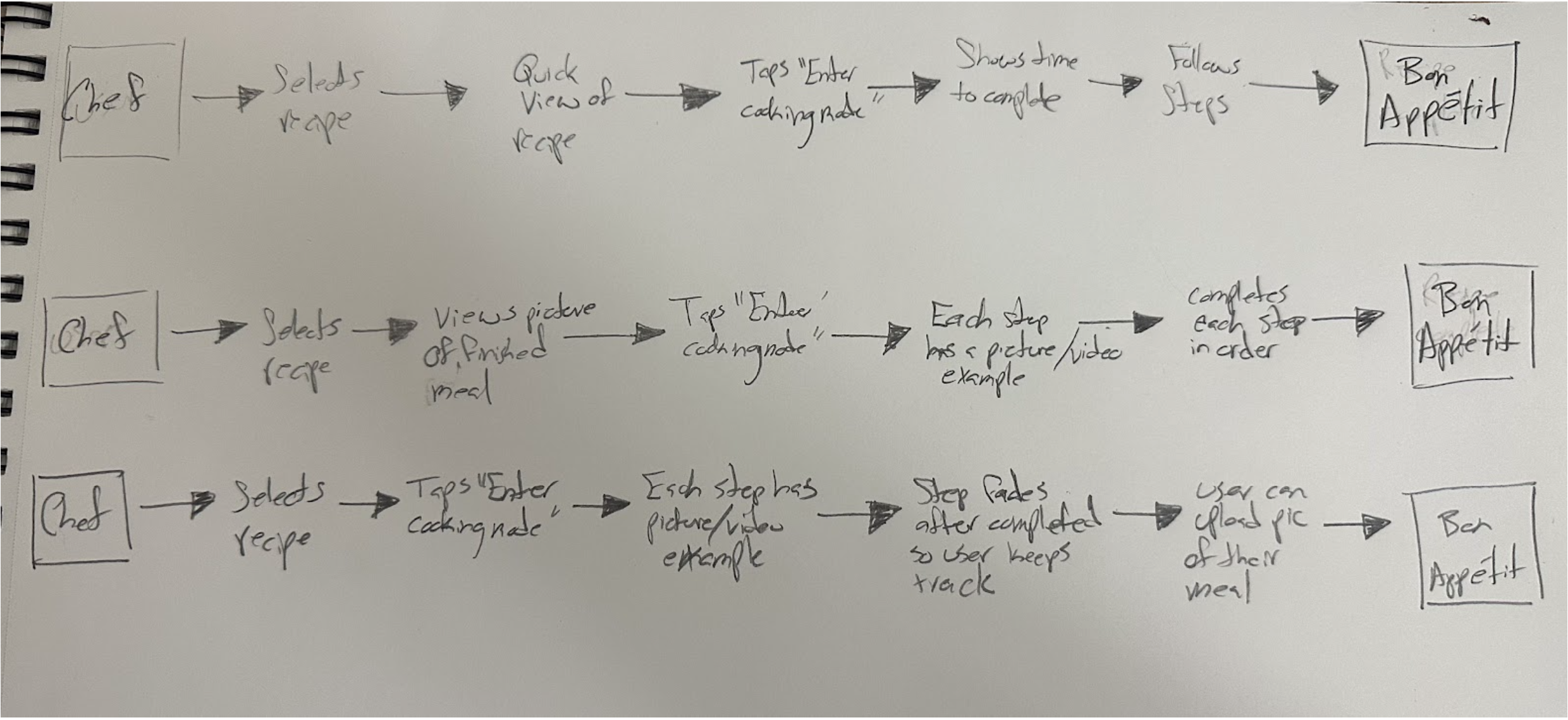
The Challenge
Despite a vast library of high-quality recipes, Savr users reported significant friction when transitioning from reading a recipe to executing it. The typical "wall of text" led to confusion regarding timing and preparation, causing users to lose confidence and skip crucial steps in the kitchen.
The Goal
The objective of this five-day design sprint was to bridge the gap between static instructions and real-time execution. I set out to design a guided, distraction-free interface that empowers users to follow complex recipes with clarity and precision.
The Opportunity
Research shows that users want to feel supported through each step of the cooking process. This provided a clear opportunity to move beyond a simple, static list of instructions and create a functional "at-your-side" digital sous-chef that dramatically improves the at-home cooking experience.
Recime
Day 2– Sketch
Below, I’ve found 3 apps that have the features that I think Savr could benefit from. I adopted the "one-at-a-time" focus to reduce cognitive load. By isolating each instruction and using a clear "Next" affordance, the user remains focused on the present task without being overwhelmed by the entire recipe.
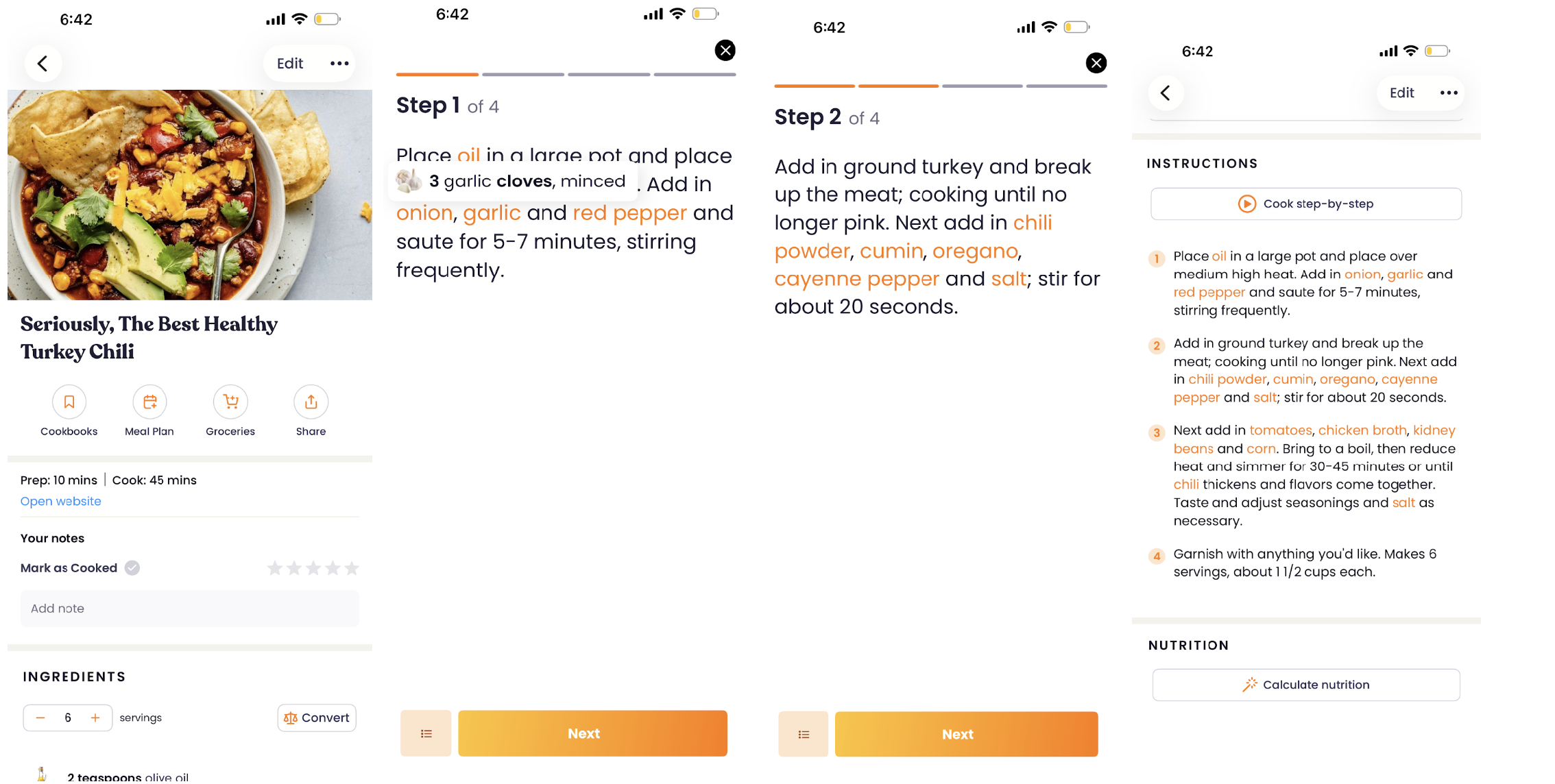
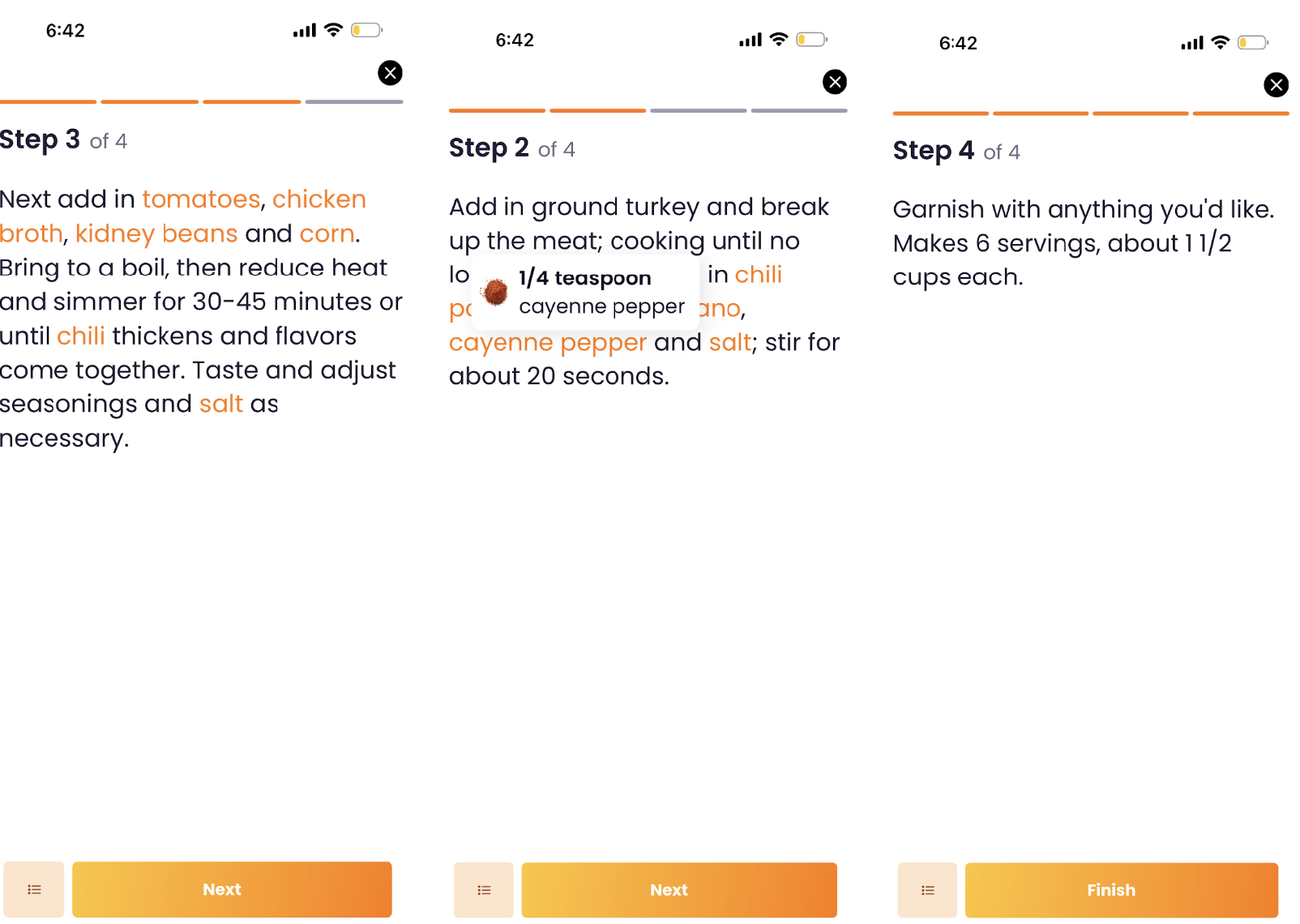
I analyzed Recime to study how its interface handles real-time execution. I focused on four key design patterns to potentially adopt for Savr:
Single-Task Isolation: Displaying only one instruction per screen minimizes cognitive load, keeping the user anchored on the present task without being overwhelmed by the entire recipe.
Thumb-Zone Navigation: A prominent, high-contrast "Next" button is anchored at the bottom of the screen to ensure an accessible, one-handed tap target for a fast-paced kitchen environment.
Contextual Progress Tracking: An orange progress bar provides immediate visual feedback, allowing users to understand their placement within the recipe at a glance.
On-Demand Information Architecture: Ingredients are interactive; a single tap reveals detailed sub-instructions and supportive imagery via an in-app overlay, providing deep context without forcing the user to navigate away from their active step.
Clear, effortless "Back" navigation ensures users can quickly review previous steps without breaking the flow of the application.
Zest
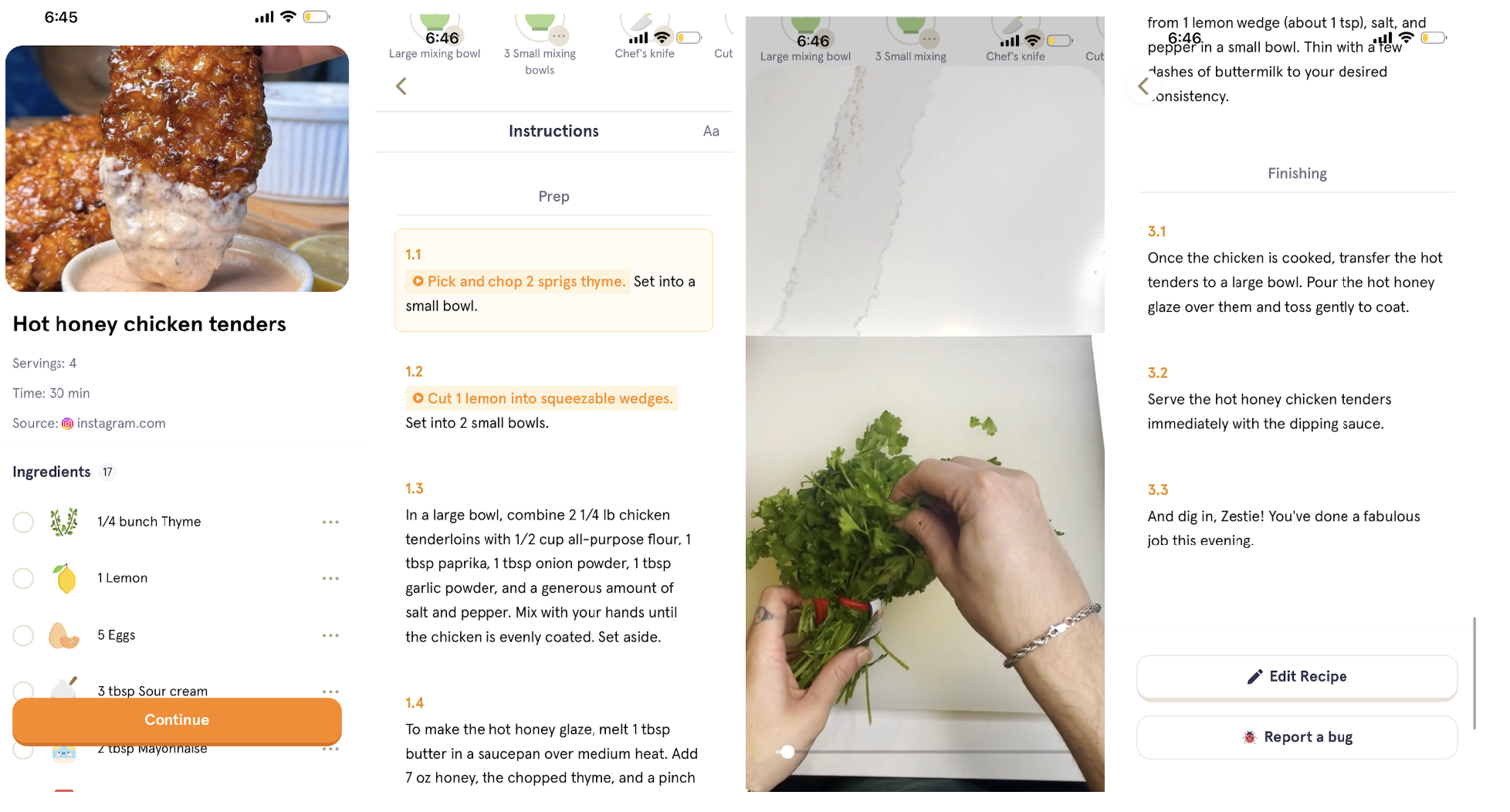
Upfront Preparation Mapping: The interface lays out all required ingredients and tools on an initial onboarding screen. This establishes a clear mental model and ensures users can mis-en-place their kitchen before entering the active cooking flow.
Structured Hierarchical Numbering: Instructions are broken down into precise, sub-numbered steps (e.g., 1.1, 1.2, 1.3) rather than a continuous block. This clear taxonomy makes micro-tasks highly scannable and easy to track.
Visual Containment & Focus: Enclosing each instruction in a dedicated, high-contrast container block gives the content physical structure, making it effortless for the eye to follow.
On-Demand Multimedia Support: For complex steps, video tutorials are directly embedded into the workflow. Providing real-time technique demonstrations ensures that novice cooks have instant visual guidance exactly when they hit a challenging maneuver.